AI agents that — so the right buyers come to you
Tell it your product and the AI team makes finished posts and ads for you every day. Take a look, hit Send everywhere, and they go out to your accounts and as ads. It keeps track of which one brought the inquiry, so next week's batch is sharper.
3-minute setup · No credit card


Where this usually breaks
One thing sellers running ads keep saying, in their own words.
“I'd find something that works… then keep running it until it slowly dies because I didn't have anything ready to replace it.”
r/FacebookAds
This was never a bidding problem. Ad platforms burn through creative faster than any hand-run cycle of research and production can refill it.
All of it came out of one photo
Every piece below started as a single product shot — content that doesn't look AI-generated, made after seeing what your rivals post.
Not your photo dropped into a template — the same product shot, re-lit and re-staged. What arrives is what they saw.
WHAT IT MADE
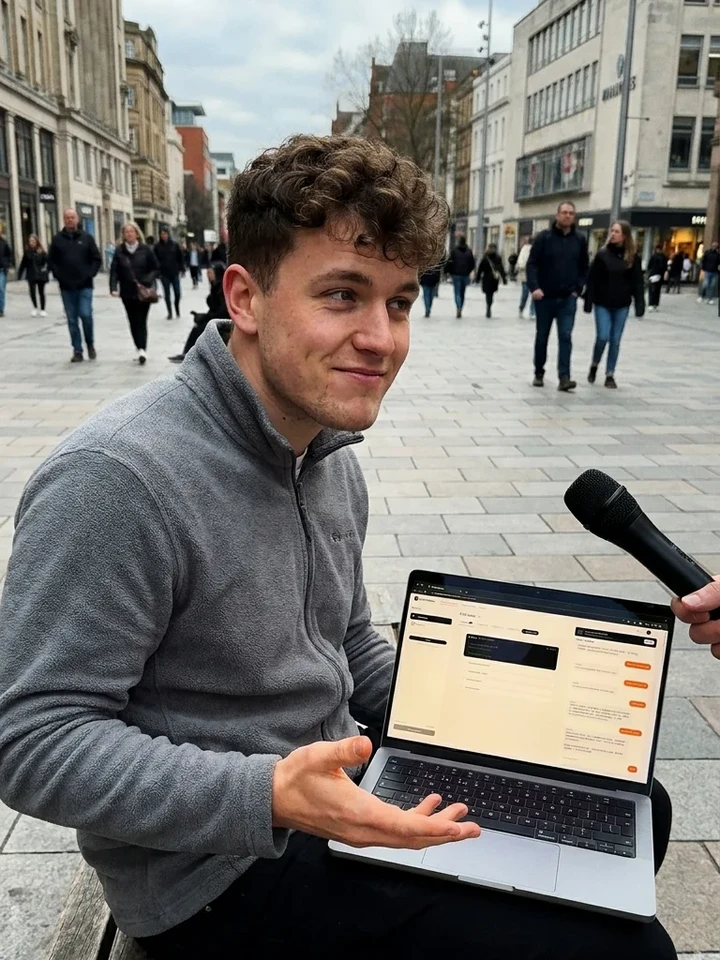
Street interview
Mic in the face, an unrehearsed real-person reaction — the product is the reveal.
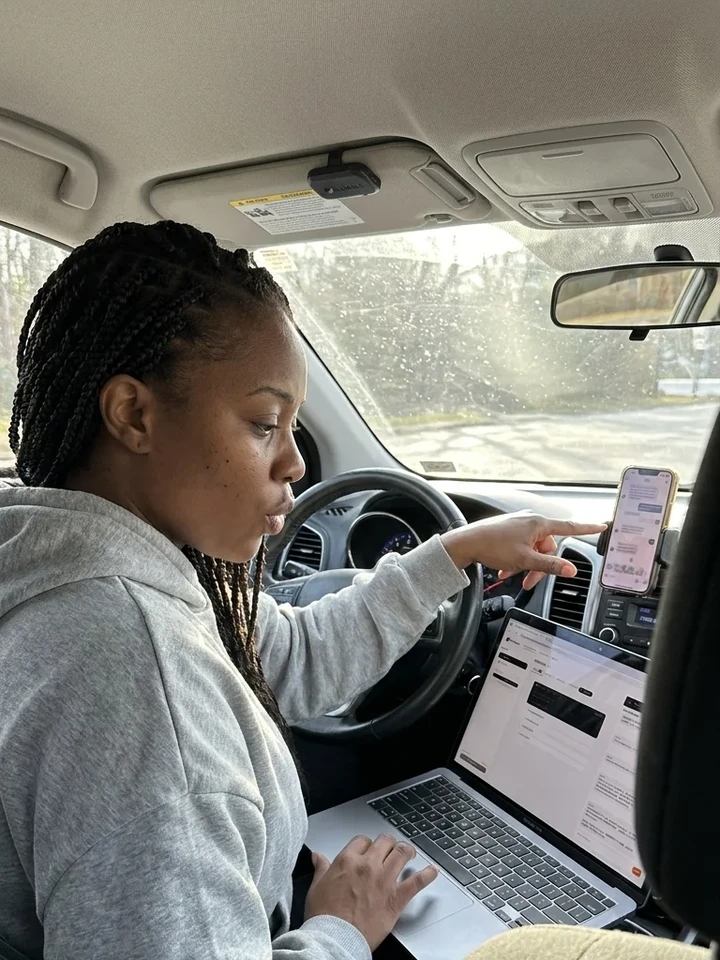
Overheard secret
A near-whisper, shouldn't-be-sharing-this insider tip — voyeuristic and high-curiosity.
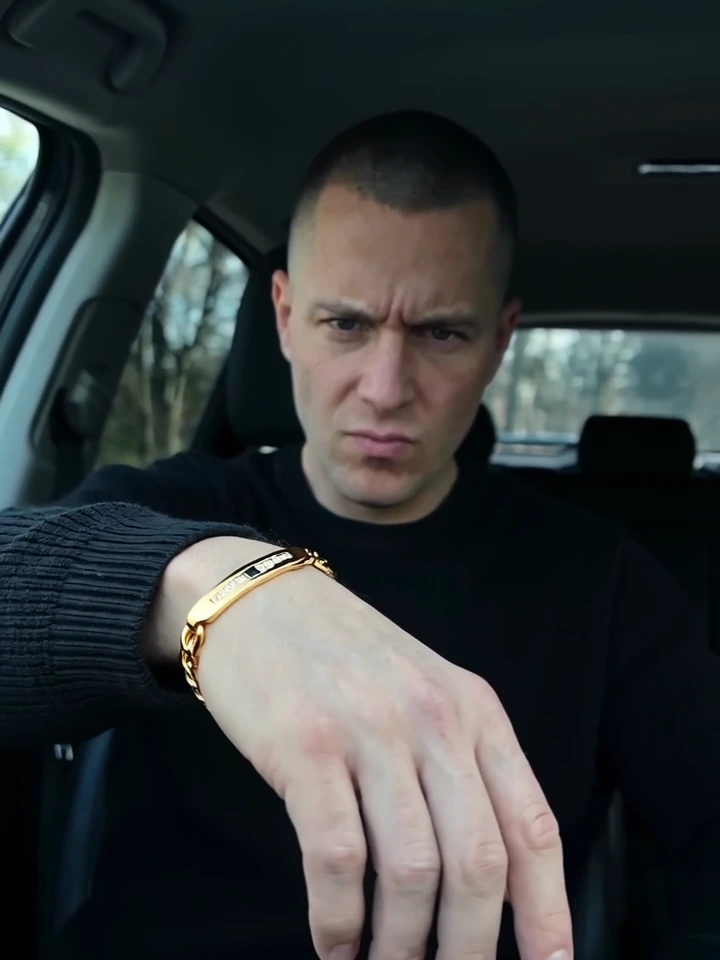
Cinematic drama
A genre short film — high society, heist, suspense, neon noir — that hides the pitch inside the story.
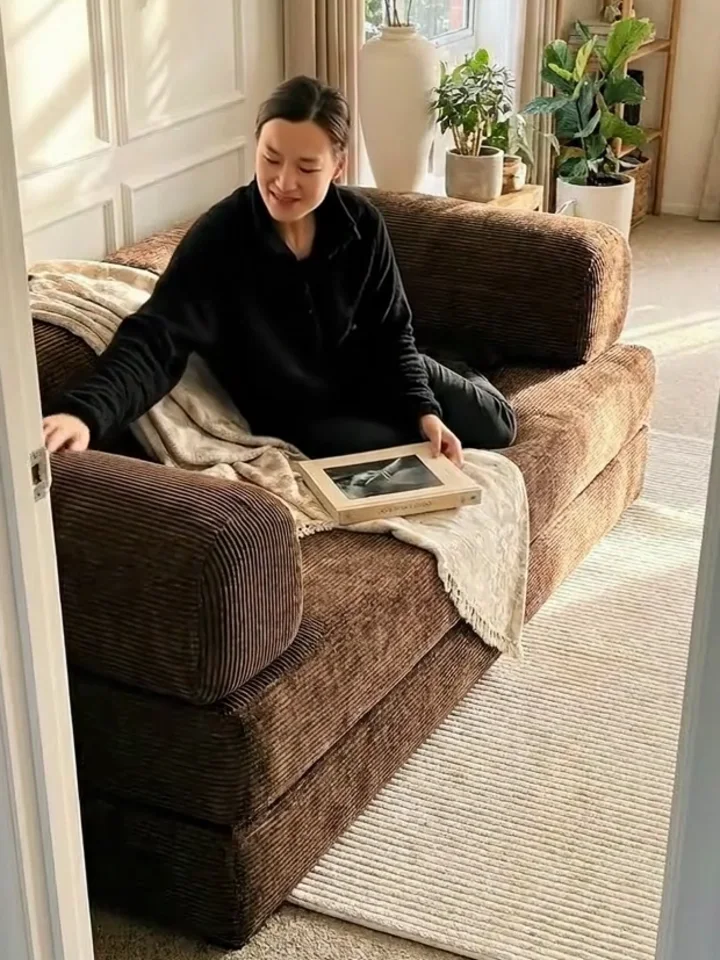
At home, not on set
No lighting rig, no staging — a room someone actually lives in, with the product where it belongs.
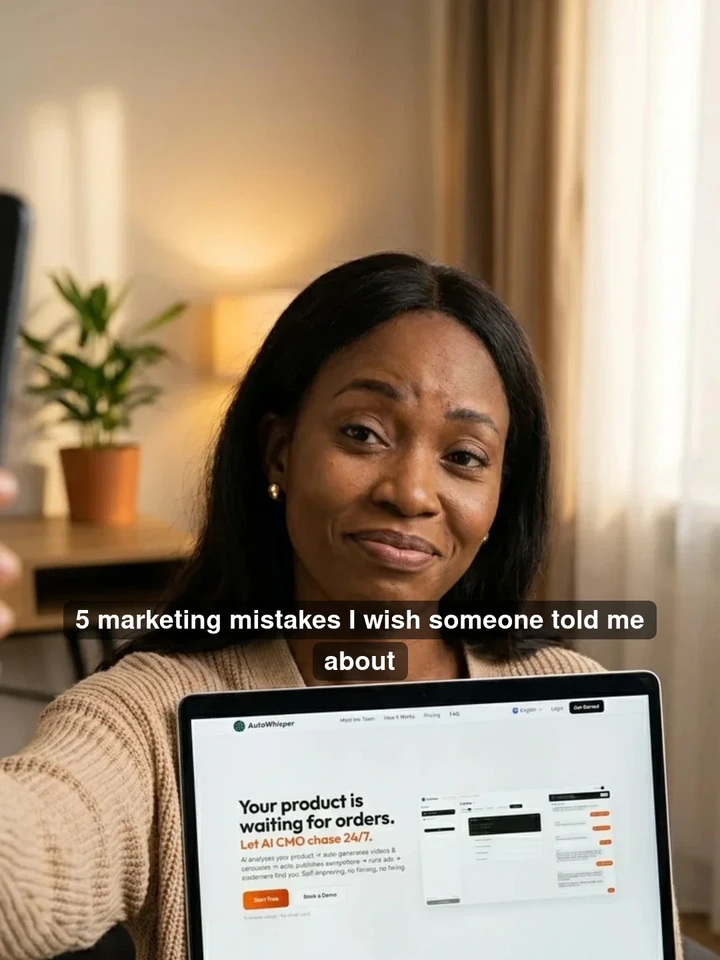
Relatable-expert carousel
Self-roast hook → a public teardown of your old mistakes → the dense, copy-this playbook.
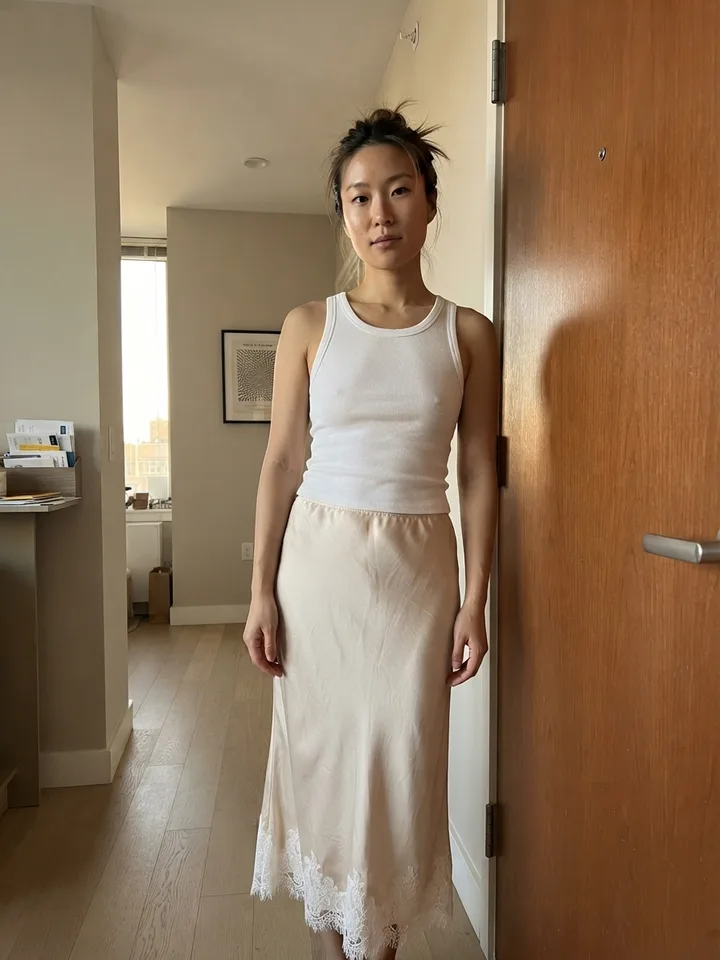
Classic review
A real-person review shot on a phone: worn or in use → the detail → one honest line. No studio polish.

Feature poster
A designed hero poster — product front-and-center with your sharpest selling points, sized to stop the scroll and drop into any ad or detail page.
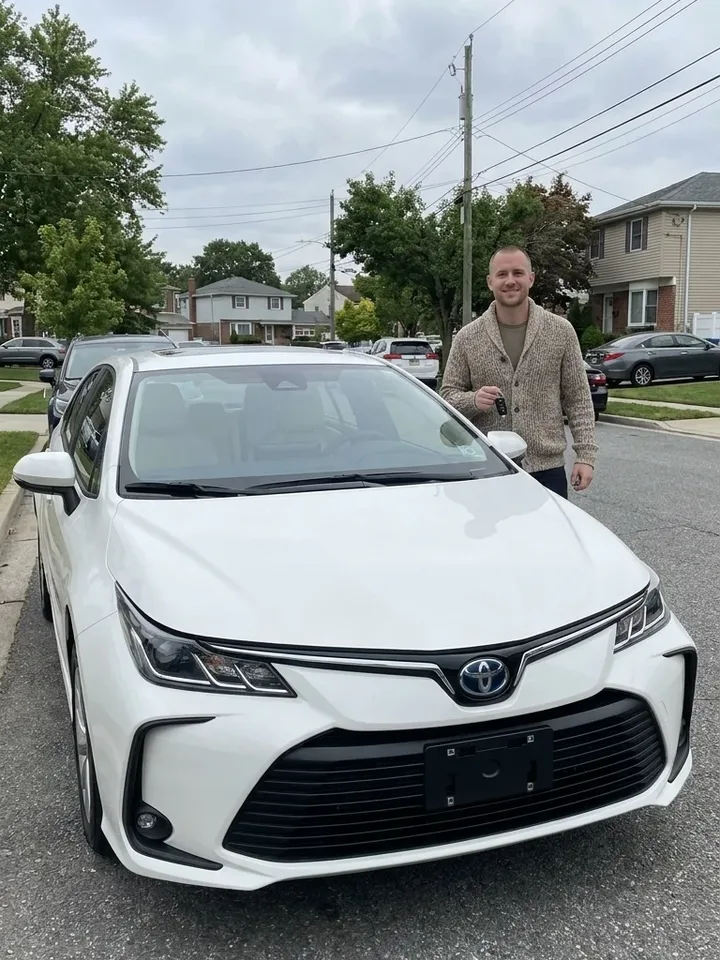
Handover moment
The moment it's actually theirs — no filter, no script. The easiest thing for a stranger to believe.
…and these are just the headliners. Dozens of proven templates across all 7 content types — auto-matched to your product.
Hire Your CMO — FreeWant one format in depth? UGC videosProduct demosProduct photographyShopify videosImage to video
Videos made from real products
Software & apps · UGC Video
clawd.bot
Software & apps · UGC Video
Talirun
Home & living · UGC Video
Balodi E-Series
Software & apps · UGC Video
AutoWhisper
Gadgets & tools · UGC Video
Chain Electric Hoist
Art · UGC Video
World cup bear
Home & living · UGC Video
Nature Weave Floor Lamp
Home & living · UGC Video
Ultimate Titanium Cutting Board
How It Works
You handle the first step and a light boost. AI CMO handles everything in between.
What you do
Tell the CMO what you sell — a name and a photo is enough.
Publishing needs a connected account. Without one you can still hit Continue generating and we'll finish it — you just can't send it out yet.
The CMO is preparing drafts. They'll show up here.
Open a card: finished pieces have a Send everywhere button. A video says Continue generating first — we finish it, then you Send everywhere.
What it runs for you, every day
Pulls what you sell and who it's for from your product page and one photo.
Who buys, and what stops them — this list re-ranks itself as results come in.
Pulls competitor ads and trends once a week, and takes their structure apart.
Seven content formats, your own product shot re-lit and re-staged — not dropped into a template.
Spaced to each channel's own rhythm, not pushed out all at once.
One tap on Send everywhere puts it on your accounts — and, where an ad channel is connected, out as an ad on the same path. A video takes Continue generating first, then you send it.
Counted by angle, not by likes — and with too few samples, it calls nothing.
What performed writes back into the pain list's confidence, deciding what gets written next.
…and back to the start. That is the loop.
Whatever brought inquiries is what tomorrow copies
Not which post got likes — which angle got someone to talk to you.
| Angle being tested | Relative | Call |
|---|---|---|
| “Charges two hours, lasts five minutes” | Scale up | |
| “Too loud in the office to keep them on” | Scale up | |
| “Never sure which one to give as a gift” | Stop | |
| “Not enough hands on the commute” | — | Not enough to call |
Three clicks is not a signal. Doubling down on noise costs you real money, so nothing gets called a winner until there is enough of it.
Why this works at all
Every image is your product shot again — new light, new setting, new angle. Not your photo dropped into a template.
Posting and advertising run down the same path: content goes to your accounts and to your ad channel, side by side.
We race the angle, not the post — and we refuse to name a winner before there is enough of it.
Production and the loop run themselves, daily. One tap on Send everywhere puts it on your accounts, and as an ad wherever one is connected (a video takes Continue generating first, then you send it).
How to run them: Facebook & Instagram adsTikTok ads
Simple pricing, powerful team
Start free. Scale when ready.
Starter
For solo founders getting started
≈ 5 videos a month
- 300 credits/month
- Full AI CMO team
- All content formats
- Publishing to every channel
- CEO approval dashboard
Pro
For brands scaling content
≈ 36 videos a month
- 1,900 credits/month (incl. 100 bonus)
- Everything in Starter
- Priority content generation
- Daily agent auto-run
- Advanced analytics
Team
For teams that move fast
≈ 192 videos a month
- 10,000 credits/month (incl. 200 bonus)
- Everything in Pro
- Team collaboration
- Dedicated support
- Ad account setup assistance
Comparing tools? vs Predis.aivs Arcadsvs Creatify
Frequently Asked Questions
Everything you need to know about your AI CMO.
How soon do I see the first batch?
What if I don't like a piece?
Will it look obviously AI?
What platforms can it publish to?
What if it's not for me?
Hand off your product.
Content, distribution, ad creatives — done for you. You do less. Results bigger.
3 minutes to setup. No credit card required.